PhilHealth ID: Requirements, Application & Guide 2026
A PhilHealth ID is an important way to identify yourself as a PhilHealth member when accessing healthcare services and verifying your membership. Your PhilHealth Identification Number, or PIN, is also essential because it connects you to your PhilHealth membership records and benefits.
If you are applying for a PhilHealth ID for the first time, replacing a lost card, checking your PhilHealth ID number, or looking for a digital PhilHealth ID, the process can feel confusing. You may also wonder about the requirements, application cost, processing time, and whether you can get your ID online.
This guide explains everything you need to know about the PhilHealth ID, from eligibility and requirements to application, verification, replacement, and proper use. You will also learn the difference between a PhilHealth ID and PhilHealth PIN, so you can handle your membership records with confidence.
What Is a PhilHealth ID?
A PhilHealth ID is an identification card used to identify a person as a member of the Philippine Health Insurance Corporation, commonly known as PhilHealth. It contains important member information and can be used when verifying your PhilHealth membership when accessing healthcare services.
The PhilHealth ID is different from your PhilHealth Identification Number (PIN). Your PIN is the unique number assigned to your PhilHealth membership, while the ID serves as a physical or digital form of identification.
Having a PhilHealth ID can make it easier to verify your membership when dealing with PhilHealth offices, healthcare facilities, and other transactions related to your health insurance benefits.
If you are a registered PhilHealth member, understanding how the ID works is important. You should also know how to apply for one, check your membership information, replace a lost ID, and keep your personal details updated.
What Is the PhilHealth Identification Number (PIN)?
The PhilHealth Identification Number (PIN) is the unique number assigned to a person who is registered as a PhilHealth member. It serves as your permanent membership identifier in the PhilHealth system.
Your PIN is used to identify your PhilHealth records, contributions, membership status, and eligibility for benefits. You may need to provide it when dealing with PhilHealth, your employer, or a healthcare facility.
The PIN is not the same as your PhilHealth ID. The ID is a form of member identification, while the PIN is the number that identifies your membership record.
Why Is Your PhilHealth PIN Important?
Your PhilHealth PIN may be required when you:
- Check your PhilHealth membership records
- Verify your membership status
- Pay or track PhilHealth contributions
- Update your personal information
- Process PhilHealth benefits
- Communicate with PhilHealth
- Complete employment or membership-related transactions
PhilHealth ID vs. PhilHealth Identification Number
A PhilHealth ID and a PhilHealth Identification Number (PIN) are related, but they are not the same thing. The PhilHealth ID is used as a form of member identification, while the PIN is the unique number assigned to your PhilHealth membership record.
Understanding the difference is important because many PhilHealth transactions may ask for your PIN even when you are looking for or presenting your PhilHealth ID.
| Feature | PhilHealth ID | PhilHealth Identification Number (PIN) |
|---|---|---|
| What it is | A member identification card | A unique membership number |
| Main purpose | Helps identify you as a PhilHealth member | Identifies your PhilHealth membership record |
| Format | Physical or digital identification, depending on the type | Numerical identification number |
| Assigned to | Registered PhilHealth members who receive an ID | Every registered PhilHealth member |
| Used for | Member identification and verification | Membership records, contributions, and benefit transactions |
| Can it identify your membership? | Yes | Yes |
| Needed for PhilHealth transactions? | May be requested | Frequently required |
| Can you have one without the other? | You may have a PIN even if you do not have an ID card | Yes, your PIN exists as part of your membership record |
| Can it be replaced? | An ID may need replacement if lost or damaged | The PIN is tied to your membership record and is not simply replaced like a physical card |
| Example | Your PhilHealth identification card | Your unique PhilHealth membership number |
Why Do You Need a PhilHealth ID?
A PhilHealth ID helps you identify yourself as a registered PhilHealth member when completing healthcare and membership related transactions. While your PhilHealth Identification Number (PIN) is the key identifier for your membership record, having a PhilHealth ID can make member verification easier in situations where identification is requested.
Here are some common reasons you may need a PhilHealth ID:
- To verify your PhilHealth membership: Your ID can help confirm that you are a registered PhilHealth member when your identity or membership needs to be checked.
- To support healthcare transactions: Hospitals and other healthcare facilities may ask for PhilHealth membership information or identification when processing claims and benefits.
- To access PhilHealth benefits: Your PhilHealth membership details are important when claiming eligible healthcare benefits. Your ID can support the verification process when required.
- To complete PhilHealth transactions: You may need identification when visiting a PhilHealth office to update records, request services, or resolve membership concerns.
- To confirm your identity: A PhilHealth ID connects your identity with your PhilHealth membership information and can help reduce confusion between member records.
- To keep your membership information accessible: Having your identification details available can make it easier to provide the information needed for PhilHealth related transactions.
- To support employment related transactions: Employees may be asked to provide their PhilHealth membership information when completing government contribution and employment records.
Who Can Get a PhilHealth ID?
Generally, registered PhilHealth members can obtain a PhilHealth ID to help identify and verify their membership. Eligibility can depend on your PhilHealth membership category and the type of identification card available to you.
The following groups may qualify for a PhilHealth ID or applicable PhilHealth identification:
- Employed members: Employees registered with PhilHealth through their employer can have PhilHealth membership identification.
- Self-employed members: Individuals who are registered as self-employed PhilHealth members can obtain identification associated with their membership.
- Voluntary or individually paying members: Members who pay their PhilHealth contributions independently may also qualify for PhilHealth identification.
- Senior citizens: Qualified senior citizens enrolled in PhilHealth can have membership identification and access their corresponding records and benefits.
- Sponsored members: Individuals whose PhilHealth contributions are sponsored by another entity or program can have PhilHealth membership identification.
- Indigent members: Qualified indigent individuals enrolled under applicable government sponsored programs can have PhilHealth membership records and identification.
- Lifetime members: Qualified lifetime members can use their PhilHealth membership information when accessing applicable services and benefits.
- Dependents: Registered dependents may have PhilHealth membership records and may be required to provide appropriate identification or supporting documents during transactions.
- Qualified foreign nationals: Foreign nationals who are eligible for and registered under PhilHealth can have membership identification, subject to the applicable membership requirements.
Types of PhilHealth IDs
PhilHealth provides different forms of identification depending on a member’s status, eligibility, and the type of PhilHealth service being accessed. The most important distinction is between the PhilHealth Identification Card (PIC) and other government or membership documents that may be used to verify PhilHealth membership.
Here are the main types of PhilHealth identification you may encounter:
- PhilHealth Identification Card (PIC): The PhilHealth Identification Card is issued to eligible members as proof of PhilHealth membership. It contains identifying information that can help verify the member’s records during PhilHealth related transactions.
- PhilHealth Digital ID: The digital version of PhilHealth identification can be accessed electronically by eligible members through PhilHealth’s online services. It can be useful when a physical card is not readily available.
- PhilHealth ID for Senior Citizens: Qualified senior citizens may have PhilHealth membership identification connected to their senior citizen membership records. Their eligibility and registration are handled according to PhilHealth’s rules for senior citizens.
- PhilHealth identification for sponsored members: Members whose contributions are sponsored by a government agency, local government unit, or other qualified sponsor may have PhilHealth records and identification associated with their sponsored membership.
- PhilHealth identification for lifetime members: Qualified lifetime members retain their PhilHealth membership status and can use their membership records when accessing applicable benefits and services.
- PhilHealth identification for employed members: Employees registered through their employers have PhilHealth membership records and a PhilHealth Identification Number that can be used for contribution and benefit related transactions.
PhilHealth ID Requirements
The requirements for a PhilHealth ID depend on your membership status and the type of PhilHealth identification you are applying for. In most cases, you need an active or properly registered PhilHealth membership and accurate personal information in your PhilHealth records.
Before applying, prepare the documents that can confirm your identity and membership details. Common requirements may include:
- PhilHealth Identification Number (PIN): Your PIN helps PhilHealth locate and verify your membership record. If you are already registered, keep your PIN available when applying or requesting member services.
- Valid identification: A government issued or other accepted valid ID may be requested to confirm your identity. The exact documents accepted can vary depending on the transaction.
- Proof of personal information: Documents containing your name, date of birth, and other personal details may be required, particularly when registering for the first time or correcting information.
- PhilHealth Member Registration Form (PMRF): New members may need to complete the applicable PhilHealth Member Registration Form when registering their membership or updating their records.
- Birth certificate or supporting civil documents: These may be requested when PhilHealth needs to verify your date of birth, name, or other personal information.
- Marriage certificate: Married members may need to provide a marriage certificate when registering or updating marital information, particularly when the transaction involves dependents.
- Proof of employment: Employed members may need employment related information or documentation when their membership is being registered or updated through an employer.
- Documents for dependents: If you are registering a dependent, PhilHealth may require documents proving the dependent relationship, such as a birth or marriage certificate, depending on the relationship.
- Senior citizen documentation: Senior citizens may need documents that establish their identity, age, and eligibility for the applicable PhilHealth membership category.
- Foreign national documents: Foreign nationals may need additional documents, such as a passport, visa, or other proof of eligible status, depending on their PhilHealth membership category.
Read Also: PhilHealth Online Registration
How to Get a PhilHealth ID (offline)
Getting a PhilHealth ID starts with having a properly registered PhilHealth membership. The process may vary depending on your membership category and the type of ID or identification service available to you.
In general, you need to verify your membership information, prepare the required documents, and complete the application through the appropriate PhilHealth channel.
Step 1: Confirm Your PhilHealth Membership
Before applying for a PhilHealth ID, make sure you are already registered with PhilHealth. Your PhilHealth Identification Number (PIN) is especially important because it identifies your membership record.
If you do not have a PIN yet, you may need to complete PhilHealth membership registration before proceeding with an ID request.
Step 2: Prepare the Required Documents
Gather the documents needed for your particular membership category. These may include a valid ID, PhilHealth membership information, completed registration forms, and supporting documents for personal information.
If you are applying on behalf of a dependent, senior citizen, or another member, additional documents may be required.
Step 3: Visit a PhilHealth Office
If your ID request requires an in-person transaction, visit an appropriate PhilHealth Local Health Insurance Office or other authorized PhilHealth office.
Bring your original documents and copies when applicable. Having your PhilHealth PIN available can also make it easier for staff to locate your membership record.
Step 4: Complete the Application or Request Form
Complete the applicable PhilHealth form and provide accurate information. Check your name, date of birth, address, PIN, and other personal details carefully before submitting the form.
Incorrect information can cause problems with your membership records or identification later.
Step 5: Submit Your Documents for Verification
Submit the completed form and supporting documents to the PhilHealth representative handling your transaction. The information will be checked against your existing membership records.
If there is a mismatch or missing information, you may be asked to provide additional documentation or update your member records first.
Step 6: Have Your Information Confirmed
Once your documents have been reviewed, confirm that your personal and membership information is correct. Pay particular attention to your PhilHealth Identification Number, full name, and other details printed or associated with your identification.
Reporting errors immediately can help prevent problems during future PhilHealth transactions.
Step 7: Receive or Access Your PhilHealth ID
After your request has been processed, you can receive or access the applicable PhilHealth identification according to the available service. If a digital identification option is available to you, follow the instructions provided by PhilHealth for accessing it.
Keep your ID and PhilHealth PIN secure and avoid sharing your personal information unnecessarily.
Step 8: Check Your PhilHealth Membership Details
After receiving your ID, verify that the information matches your PhilHealth membership record. If you notice an incorrect name, date of birth, address, or other information, contact PhilHealth to request a correction.
Keeping your records updated can make future benefit claims and membership transactions easier.
How to Get a PhilHealth ID Online?

You can handle several PhilHealth membership and identification related services online, but getting a physical PhilHealth ID is not necessarily a fully online process. The exact options available depend on your membership status and the current PhilHealth online services.
If you want to access your PhilHealth information or a digital PhilHealth ID, follow these general steps.
Step 1: Visit the Official PhilHealth Website
Go to the official PhilHealth website and access the available online member services. Always use the official PhilHealth website when entering personal information such as your PhilHealth Identification Number.
Step 2: Open the Member Portal
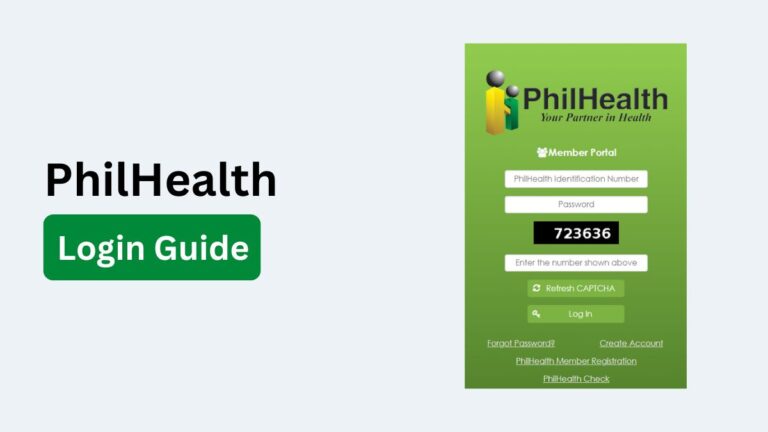
Select the appropriate PhilHealth Member Portal or online member service. Existing members may need to log in using their registered account credentials.
If you do not have an online account, follow the registration instructions provided by PhilHealth.
Step 3: Log In to Your PhilHealth Account
Enter your registered login information to access your account. Depending on the system, you may need to complete an additional verification step.
If you have forgotten your login details, use the available account recovery options rather than creating another account unnecessarily.
Step 4: Check Your Membership Information
After logging in, review your PhilHealth membership information. Check your PhilHealth Identification Number (PIN), name, date of birth, membership category, and other available details.
If something is incorrect, follow PhilHealth’s instructions for updating your member records.
Step 5: Look for Available Digital ID Services
If a digital PhilHealth ID service is available for your account, look for the relevant option within the online member services. Follow the instructions to view or access your digital identification.
The availability of a digital ID may depend on PhilHealth’s current online services and your membership records.
Step 6: Save or Access Your Digital ID
If PhilHealth provides a digital ID through the portal, follow the available instructions to access or save it. Keep the digital copy secure because it may contain personal information.
Step 7: Visit a PhilHealth Office if Required
If you need a physical ID or the online system does not provide the service you need, you may have to complete the request through a PhilHealth office or authorized service channel.
Bring the required documents and your PhilHealth PIN so your membership can be verified.
Can You Get a Physical PhilHealth ID Completely Online?
Not necessarily. Online services can help you manage your membership and access available digital services, but the process for obtaining a physical PhilHealth ID may require an in-person transaction depending on the current PhilHealth procedure.
Before submitting sensitive information online, make sure you are using an official PhilHealth service and check the latest instructions for the specific ID you need.
How to Get a PhilHealth ID Without an Employer
You do not need an employer to become a PhilHealth member or obtain PhilHealth identification. If you are self-employed, a freelancer, professional practitioner, entrepreneur, informal worker, or another individual without an employer, you can register under the appropriate PhilHealth membership category.
PhilHealth classifies self-earning individuals and other people working outside a traditional employer-employee relationship under the informal economy.
The general process is straightforward. You register your membership, obtain your PhilHealth Identification Number (PIN), and complete the applicable identification process.
Step 1: Determine Your PhilHealth Membership Category
If you do not have an employer, you may qualify as a self-earning individual, informal sector worker, or another applicable membership category. Self-earning individuals include people who earn a living by providing services or selling goods outside an employer-employee relationship.
Your membership category determines how you register and maintain your PhilHealth coverage.
Step 2: Complete the PhilHealth Member Registration Form
Complete the PhilHealth Member Registration Form (PMRF) with your personal and membership information. PhilHealth provides the PMRF through its official website and offices.
Make sure your name, date of birth, address, contact information, and other details are accurate before submitting the form.
Step 3: Submit Your Registration
For informal economy members, PhilHealth’s published registration procedure instructs applicants to visit a Local Health Insurance Office (LHIO) or PhilHealth Express outlet, submit the accomplished PMRF, and complete the registration process.
If you already have a PhilHealth membership record, you may not need to register again. Instead, you may need to update your membership category.
Step 4: Get Your PhilHealth Identification Number
Once your membership is registered, PhilHealth assigns or confirms your PhilHealth Identification Number (PIN). The PIN is associated with your membership record and is used for PhilHealth transactions, including contribution payments and benefit-related transactions.
Keep your PIN safe because you will need it for future PhilHealth transactions.
Step 5: Receive Your PhilHealth Identification
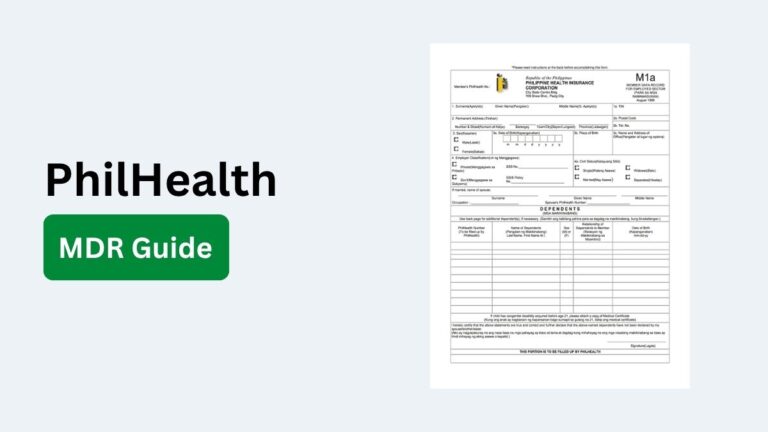
PhilHealth’s published procedure for informal economy members states that members can await their Member Data Record (MDR) and PhilHealth ID Card after submitting their registration.
The exact identification process can depend on the current PhilHealth service and your membership category.
Step 6: Maintain Your PhilHealth Membership
Getting the ID is only part of the process. If you are a self-paying member, you also need to keep your membership information and contributions properly updated.
As of April 1, 2026, PhilHealth began rolling out its Statement of Premium Account (SPA) Generator for self-paying members. The system requires applicable self-paying members to generate an SPA before making premium payments.
How to Check Your PhilHealth ID Number
our PhilHealth Identification Number (PIN) is the unique number assigned to your PhilHealth membership record. If you have forgotten your PIN or cannot find your PhilHealth documents, you can check it through PhilHealth’s available member services instead of registering for a new number.
Check Your PhilHealth PIN Through the Member Portal
The PhilHealth Member Portal is one of the most convenient ways to access your membership information.
- Go to the official PhilHealth Member Portal.
- Log in using your registered account.
- Open your membership or profile information.
- Look for your PhilHealth Identification Number (PIN).
- Check that the personal information connected to the PIN is correct.
If you do not have an online account, follow PhilHealth’s current registration instructions to create one.
How to Replace a Lost PhilHealth ID
If you lose your PhilHealth ID, you should request a replacement rather than create a new PhilHealth membership. Your PhilHealth Identification Number (PIN) remains connected to your existing membership record, so losing the physical ID does not normally mean losing your PhilHealth membership.
The replacement process generally involves verifying your identity, reporting the lost ID, submitting the required documents, and requesting a new identification card.
Step 1: Confirm Your PhilHealth Identification Number
Before requesting a replacement, find your existing PhilHealth Identification Number (PIN) if possible. You may find it on your MDR, previous PhilHealth documents, or through available PhilHealth member services.
Knowing your PIN can help PhilHealth locate your existing membership record.
Step 2: Prepare the Required Documents
Prepare the documents needed to verify your identity and membership. Depending on the current PhilHealth procedure and your membership category, you may need a valid ID, your PhilHealth records, and other supporting documents.
If PhilHealth requires a specific declaration or form for a lost ID, complete it accurately.
Step 3: Report the Lost PhilHealth ID
Inform PhilHealth that your identification card has been lost. You can do this through the appropriate PhilHealth service channel or office, depending on the replacement procedure currently available.
Reporting the loss helps ensure that your membership record remains properly documented.
Step 4: Visit a PhilHealth Office if Required
If the replacement cannot be completed online, visit a PhilHealth Local Health Insurance Office (LHIO) or another authorized PhilHealth service location.
Bring your valid identification, PhilHealth PIN, and any other documents required for the transaction.
Step 5: Submit Your Replacement Request
Complete the applicable request form and submit it along with the required documents. A PhilHealth representative may verify your personal information against your existing membership record.
Check your name, date of birth, address, and PIN carefully before the request is finalized.
Step 6: Pay the Applicable Replacement Fee
If PhilHealth charges a replacement fee for the particular ID you are requesting, you will need to pay the applicable amount according to the current PhilHealth rules.
Ask the PhilHealth office for the current fee before making payment because charges and procedures can change.
Step 7: Receive Your Replacement ID
After your request has been processed, follow the instructions provided by PhilHealth for receiving or accessing your replacement identification.
Processing time can vary depending on the ID type, office, and current PhilHealth procedures.
PhilHealth ID Problems and Solutions
Problems with a PhilHealth ID can happen when your personal information is incorrect, your membership record cannot be verified, or you cannot access your ID through available PhilHealth services. A missing or damaged ID can also make certain transactions more difficult.
The good news is that most PhilHealth ID problems can be addressed by checking your membership record, correcting inaccurate information, or contacting PhilHealth through its official service channels.
PhilHealth ID Application Is Not Showing
If your PhilHealth ID is not showing after you complete a request or registration, first check whether your membership registration has been successfully processed. Your membership record may need to be verified before the identification becomes available.
Check your PhilHealth account and available member documents for updated information. If the problem continues, contact or visit a PhilHealth office and provide your PIN and supporting documents so staff can check your record.
Incorrect Information on Your PhilHealth ID
An incorrect name, birth date, address, or other personal information should be corrected as soon as possible. Errors can create problems when your membership information is checked during healthcare or benefit related transactions.
Prepare the appropriate supporting document that proves the correct information. Submit the correction through the applicable PhilHealth service channel and verify the updated information once the change has been processed.
PhilHealth ID Cannot Be Verified
If a hospital, PhilHealth office, or another authorized party cannot verify your ID, check whether the information on your ID matches your PhilHealth membership record.
Your PhilHealth Identification Number (PIN) can also help locate your membership record. If the information does not match, contact PhilHealth to determine whether your records need to be updated or corrected.
PhilHealth PIN Does Not Match Your Records
A mismatch between your PIN and membership information should not be ignored. Do not create another PhilHealth membership simply because your existing information cannot be found.
Check your MDR, PhilHealth account, or previous documents to confirm your PIN. If there is still a discrepancy, ask PhilHealth to verify your membership record and resolve the mismatch.
Lost PhilHealth ID
If you lose your PhilHealth ID, you do not normally need to obtain a new PIN. Your PIN remains associated with your existing membership record.
Report the lost identification when required and follow the current PhilHealth procedure for requesting a replacement. Bring an accepted valid ID and your PhilHealth membership information when visiting an office.
Damaged PhilHealth ID
A damaged card may become difficult to read or use for identification. If important information on the card is no longer visible, request a replacement through the appropriate PhilHealth channel.
Keep the damaged card if PhilHealth asks you to surrender it during the replacement process.
Digital PhilHealth ID Is Not Available
If you cannot access your digital PhilHealth identification, first check that you are using the correct PhilHealth online service and that your membership information is properly registered.
Try signing in again and checking your account information. If the digital service is unavailable or your record does not appear, contact PhilHealth for assistance rather than creating another membership account.
PhilHealth Online Account Problems
Login problems can prevent you from accessing your membership information or available digital services. Check your username, password, internet connection, and account recovery options.
If you have forgotten your login details, use the official recovery process. Avoid sharing your password, PIN, or other sensitive information with unofficial websites or individuals.
PhilHealth Membership Information Is Outdated
Your ID may contain information that no longer matches your current records. This can happen after a change of name, address, civil status, or other personal details.
Submit the appropriate supporting documents and request an update to your PhilHealth membership record. Once the change has been processed, check that your updated information is reflected correctly.
You Have More Than One PhilHealth Record
Duplicate PhilHealth records can create confusion about your PIN, contributions, and membership information. If you believe you have more than one PhilHealth membership record, do not simply continue using multiple numbers.
Contact PhilHealth and request assistance in checking and consolidating your records where applicable. Keep the PIN and documents associated with your valid membership record.